Nashville, TN
core service · nashville

Workflow Automation That Assigns the Next Step Without Anyone Sending a Reminder

Every team follows rules about who handles work next, what has to be requested and what needs approval. When those rules live in people's heads, work waits. Nashline Software turns them into workflow automation that moves work forward on its own.

3 min read · 3 sections · 3 answers

Fewer reminders

The system follows up.

Late work visible

Overdue items rise.

Consistent handling

Same rules every time.

Logged

Every step recorded.

People keep the decisions. The software handles the assigning, requesting, reminding and recording.

01

Your rules, written down once

We write your rules in plain language first, then build them in: assign this kind of work to that role, request these documents, remind after two days, escalate after four.

  • Assignments by type, location or load
  • Requests for missing items
  • Reminders and escalations
  • Approvals before work moves on
02

Overdue work rises to the top

Every item has an owner and a due time. Anything late moves to the top of that owner's list and appears in the manager's view.

// how workflow automation flows
  1. 1 Trigger
  2. 2 Check conditions
  3. 3 Assign owner
  4. 4 Remind if waiting
  5. 5 Close and report
03

Connected to your tools

Automation can create tasks, send emails, update records and post to the tools you already use, where they allow it.

TodayWith workflow automation

✕Work waits for a reminder

✓Next step assigned automatically

✕Rules in people's heads

✓Rules written and built in

✕Late work found by complaints

✓Overdue work flagged

The system handles

  • Routing work to the right person
  • Chasing missing information
  • Updating everyone who needs to know

Your people decide

  • Deciding how to handle exceptions
  • Approvals
  • Talking to customers
your first release

What a first workflow automation release includes

A focused starting point, shaped with your team in Discovery and adjusted to how your Nashville team works. Then we build on it.

  1. Discover
  2. Design
  3. Build
  4. Launch
  5. Optimize
Plan your first release →
release planWorkflow Automation · v1.0Ready to scope
  • Written rule book01
  • Automated assignments and requests02
  • Reminders and escalations03
  • Manager overdue view04
  • Tool connections05
  • Handover runbook and owner register06
Then: connect more tools, add automation and AI as your team is ready.
in practice

What workflow automation looks like day to day

Illustrative scenarios, not client stories.

A field service company in Hendersonville

Picture a technician closing a job. The system creates the invoice draft, asks the customer for a review and schedules the next maintenance visit.

Build something like this →Every system is shaped around your own process.
faq

Workflow Automation: questions we hear

Still unsure? Ask us directly.

Can we change the rules later?

Yes. Rules are documented and changes are logged with who made them.

Do we have to replace the software we use now?

Usually not. We connect the tools you keep where their APIs or exports allow, and build only what is missing.

Who owns the software?

You do. The code, the data and the documentation are yours after launch.

often built together

Workflow Automation works best connected

Most teams start with one system and connect the next when they are ready. These are the services most often built alongside workflow automation, on the same record.

All services →
built by our team

See the pattern in a real system

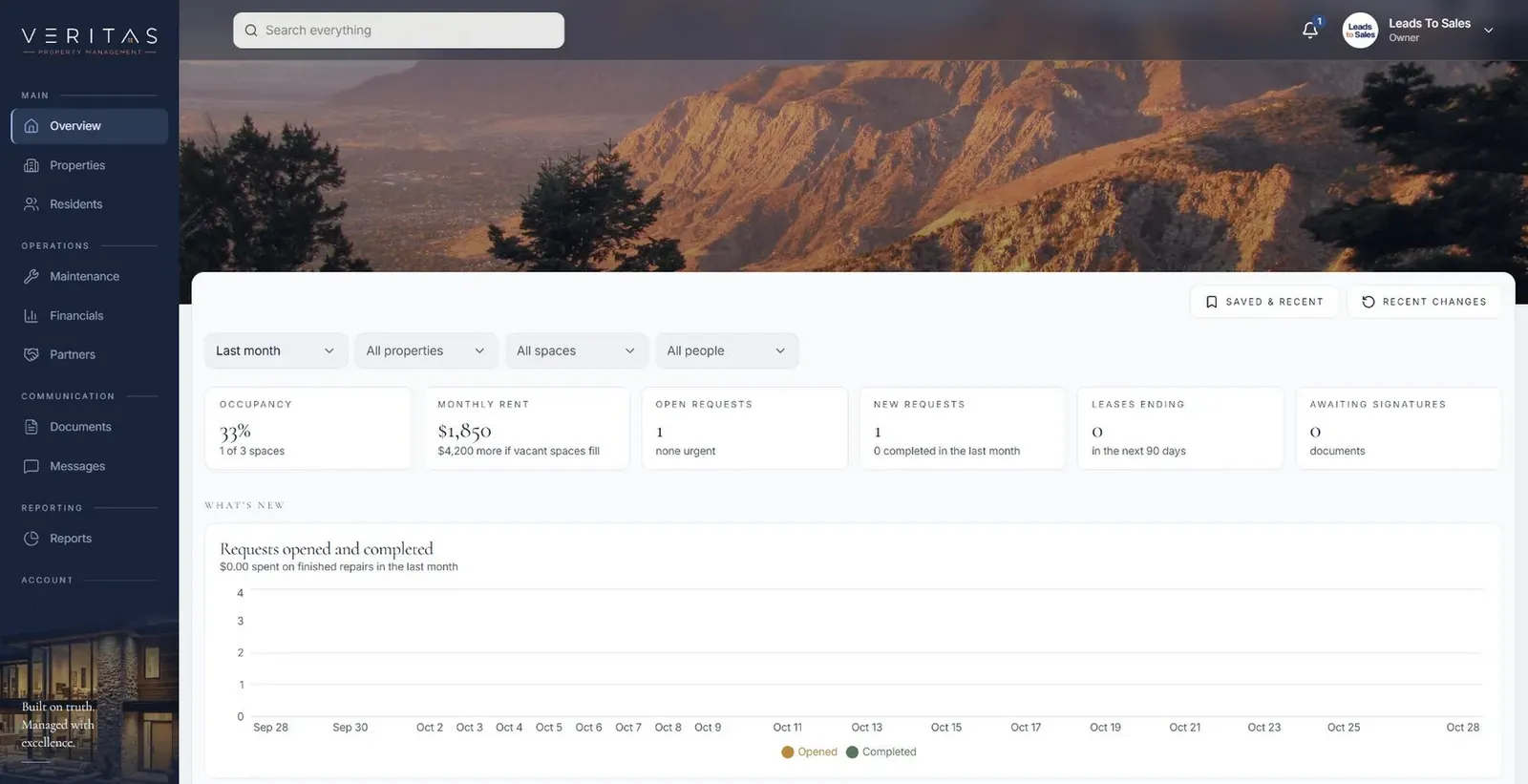
Tenant, owner and staff portals where each maintenance request keeps its photos and updates from first report to finished repair.

All highlighted work →
Veritas Property ManagementVeritas Property Management portfolio overview with properties, occupancy and requests In build · Residential property managementVeritas Property ManagementTenants, owners and staff connected around the same requests, records and updates.View the project →

Start with the problem. We'll build the possibility.

Tell us what slows your team down. We'll map it with you and suggest a useful first release, whether you're in Nashville or anywhere in Middle Tennessee.