Nashville, TN
core service · nashville

System and API Integration With a Named Owner for Every Connection

Most teams pay for good software that does not talk to each other, so people retype between them. Nashline Software connects those tools, writes down what moves between them and names a person responsible for each link.

3 min read · 3 sections · 3 answers

No retyping

Data moves on its own.

Failures caught

Alerts to an owner.

Documented

Every flow written down.

Keep your tools

No forced replacement.

Every connection is monitored, and the owner hears about a failure before staff notice missing data.

01

A written map of every connection

We document what moves, in which direction, how often and who owns it.

  • Accounting and invoicing
  • Scheduling and EHR
  • CRM and email
  • Inventory and shipping
02

Monitored and alerted

Each connection reports its health. Failures alert the owner with what failed and what to check.

// how system & api integration flows
  1. 1 System A changes
  2. 2 Integration checks it
  3. 3 Data is mapped
  4. 4 System B updates
  5. 5 Result is logged
03

Honest about vendors

Some vendors offer modern APIs and some do not. We review yours and tell you what is realistic before you commit.

TodayWith system & api integration

✕Staff retype between systems

✓Connected tools

✕Broken syncs found late

✓Alerts on failure

✕Nobody knows what connects

✓A written map

The system handles

  • Moving data between systems
  • Retrying failed syncs
  • Alerting on errors

Your people decide

  • Resolving conflicts
  • Approving new connections
  • Deciding the source of truth
your first release

What a first system & api integration release includes

A focused starting point, shaped with your team in Discovery and adjusted to how your Nashville team works. Then we build on it.

  1. Discover
  2. Design
  3. Build
  4. Launch
  5. Optimize
Plan your first release →
release planSystem & API Integration · v1.0Ready to scope
  • Connection map01
  • Integrations02
  • Monitoring and alerts03
  • Error and retry queues04
  • Owner register05
  • Handover runbook and owner register06
Then: connect more tools, add automation and AI as your team is ready.
in practice

What system & api integration looks like day to day

Illustrative scenarios, not client stories.

A manufacturer in La Vergne

Picture orders retyped from the CRM into accounting. Orders now flow automatically, with an alert if the sync stops.

Build something like this →Every system is shaped around your own process.
faq

System & API Integration: questions we hear

Still unsure? Ask us directly.

What if a vendor has no API?

We look at exports, imports and other options and tell you plainly what can be done.

Who fixes a broken connection?

The named owner is alerted, and support can cover fixes.

Who owns the software?

You do. The code, the data and the documentation are yours after launch.

often built together

System & API Integration works best connected

Most teams start with one system and connect the next when they are ready. These are the services most often built alongside system & api integration, on the same record.

All services →
built by our team

See the pattern in a real system

A sales platform covering recruiting, training, the rep workspace and contracts, where signed and paid triggers delivery and commissions.

All highlighted work →
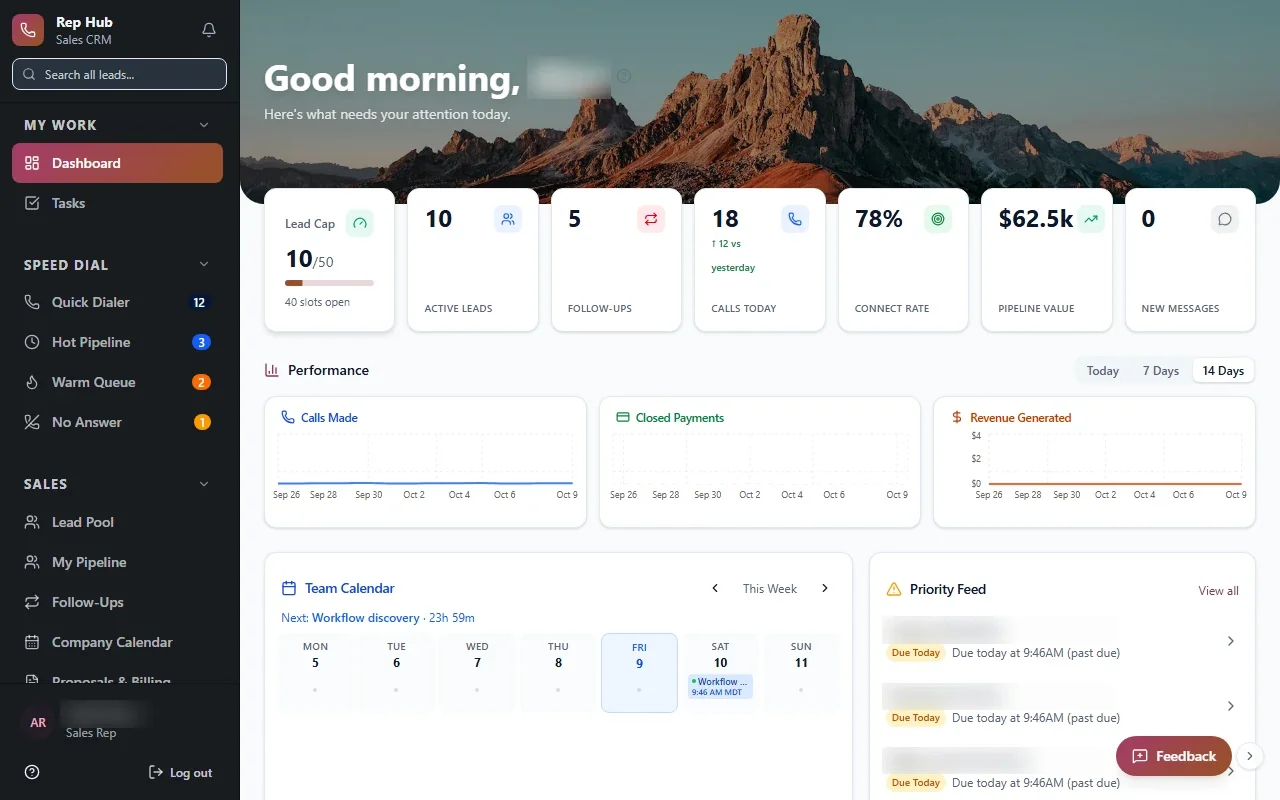
Rep HubRep Hub sales dashboard with lead pipeline, team performance, calendar and tasks Built · Sales organizationRep HubFrom joining the sales team to delivering the sale, in one connected platform.View the project →

Start with the problem. We'll build the possibility.

Tell us what slows your team down. We'll map it with you and suggest a useful first release, whether you're in Nashville or anywhere in Middle Tennessee.