Nashville, TN
core service · nashville

Client Portal Development So Customers Check Status Themselves

Status calls take up hours of staff time. Nashline Software builds secure portals where patients, customers, tenants and partners check status, send documents and make requests on their own time.

3 min read · 3 sections · 3 answers

Fewer status calls

People check themselves.

Faster documents

Uploads land on the record.

Right access

By relationship.

Logged

Every action recorded.

Each person sees only what belongs to them, and every action is logged.

01

Status without a phone call

Each request shows where it stands and what happens next, in plain words.

  • Request and order status
  • Document upload
  • Messages with your team
  • Approvals and signatures
02

The right access for each person

Permissions match real relationships: a patient sees their own requests, an owner sees their properties, a partner sees their accounts.

// how client portal development flows
  1. 1 Client signs in
  2. 2 Sees their view
  3. 3 Submits a request
  4. 4 Team responds
  5. 5 Trail is recorded
03

Connected to your system

The portal reads from and writes to your records, so staff never retype what a customer submitted.

TodayWith client portal development

✕Status by phone

✓Status online

✕Documents by email

✓Uploads to the record

✕Shared logins

✓Personal access by role

The system handles

  • Status updates to clients
  • Document reminders
  • Access by role

Your people decide

  • Answering questions
  • Approving changes
  • Managing the relationship
your first release

What a first client portal development release includes

A focused starting point, shaped with your team in Discovery and adjusted to how your Nashville team works. Then we build on it.

  1. Discover
  2. Design
  3. Build
  4. Launch
  5. Optimize
Plan your first release →
release planClient Portal Development · v1.0Ready to scope
  • Portal screens01
  • Permission model02
  • Document upload and messaging03
  • Connections to your system04
  • Logging05
  • Handover runbook and owner register06
Then: connect more tools, add automation and AI as your team is ready.
in practice

What client portal development looks like day to day

Illustrative scenarios, not client stories.

A property owner in Brentwood

Picture an owner calling for maintenance updates. The portal shows each request with photos and costs.

Build something like this →Every system is shaped around your own process.
faq

Client Portal Development: questions we hear

Still unsure? Ask us directly.

Is it HIPAA compliant?

Yes. Our healthcare systems are fully HIPAA compliant, with encryption, multi-factor sign-in, role-based access, audit trails, a HIPAA-trained team member and a signed BAA.

Can customers sign documents in it?

Yes, with an audit trail.

Who owns the software?

You do. The code, the data and the documentation are yours after launch.

often built together

Client Portal Development works best connected

Most teams start with one system and connect the next when they are ready. These are the services most often built alongside client portal development, on the same record.

All services →
built by our team

See the pattern in a real system

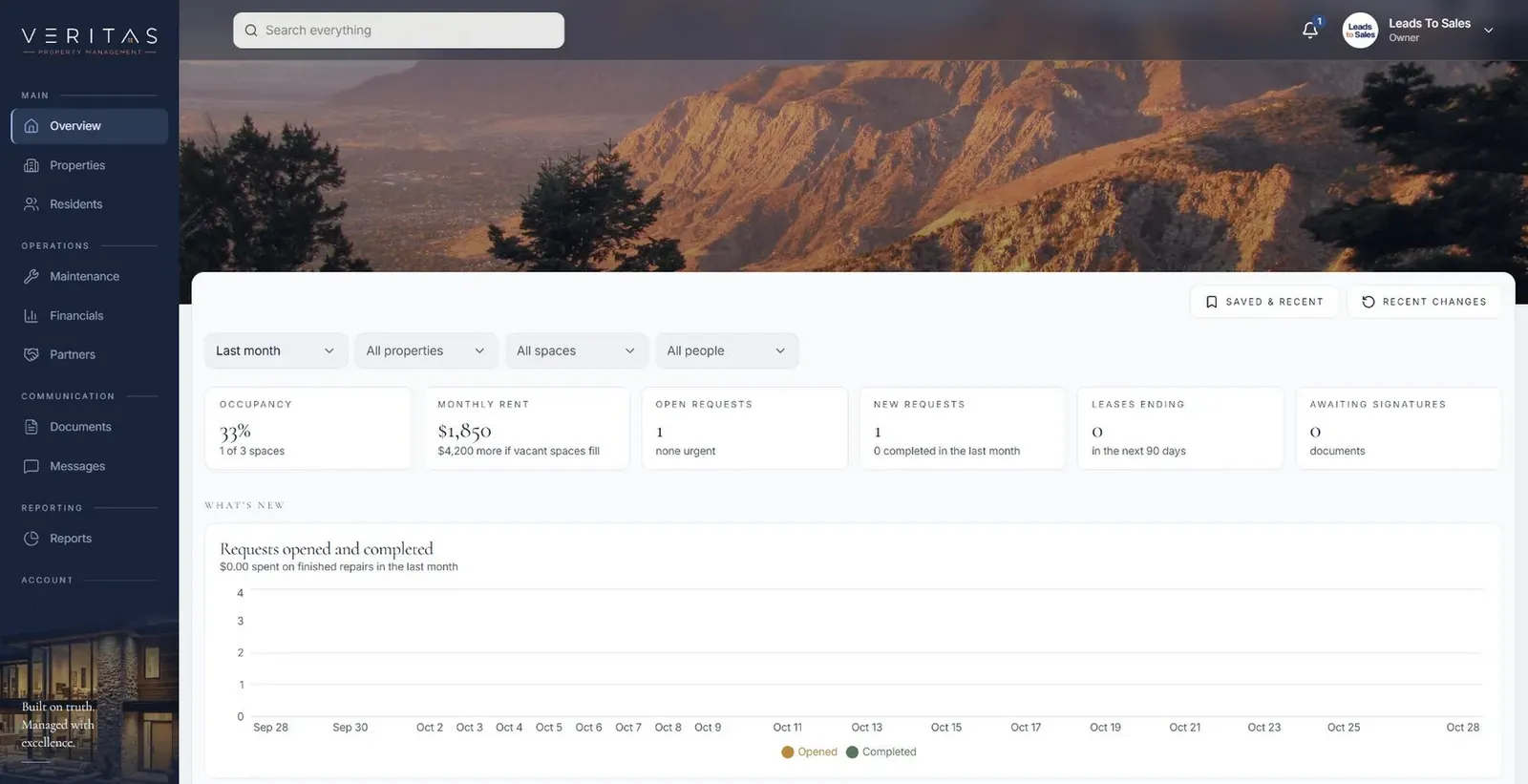
Tenant, owner and staff portals where each maintenance request keeps its photos and updates from first report to finished repair.

All highlighted work →
Veritas Property ManagementVeritas Property Management portfolio overview with properties, occupancy and requests In build · Residential property managementVeritas Property ManagementTenants, owners and staff connected around the same requests, records and updates.View the project →

Start with the problem. We'll build the possibility.

Tell us what slows your team down. We'll map it with you and suggest a useful first release, whether you're in Nashville or anywhere in Middle Tennessee.