Nashville, TN
core service · nashville

Legacy Software Modernization, One Piece at a Time

Old software keeps running because the work depends on it, even when nobody wants to touch it. Nashline Software replaces aging systems one part at a time, so the business keeps running while each piece is rebuilt.

3 min read · 3 sections · 3 answers

Lower risk

Staged moves.

No downtime

Parallel runs.

History kept

Data migrated.

Modern tools

Web and phone ready.

We run old and new side by side until the numbers match, then retire the old piece.

01

Know what the old system really does

We document what it does, who relies on it and which data matters, including the parts nobody remembers.

  • Screens and reports in use
  • Hidden rules and calculations
  • Data quality and history
  • Connections to other tools
02

Replace in stages

Each stage moves one function, runs in parallel and is checked before the old piece is turned off.

// how legacy software modernization flows
  1. 1 Map the old system
  2. 2 Pick the first part
  3. 3 Build and run side by side
  4. 4 Switch over
  5. 5 Retire the old part
03

History comes with you

Data is migrated, checked and kept, so years of records are not lost.

TodayWith legacy software modernization

✕One risky switchover

✓Staged replacement

✕Knowledge in one person's head

✓Documented system

✕Old data stranded

✓History migrated

The system handles

  • Data checks during migration
  • Backups
  • Testing old against new

Your people decide

  • Deciding what to keep
  • Training the team
  • Confirming the switch
your first release

What a first legacy software modernization release includes

A focused starting point, shaped with your team in Discovery and adjusted to how your Nashville team works. Then we build on it.

  1. Discover
  2. Design
  3. Build
  4. Launch
  5. Optimize
Plan your first release →
release planLegacy Software Modernization · v1.0Ready to scope
  • System assessment01
  • Staged plan02
  • Parallel runs03
  • Data migration04
  • Retirement checklist05
  • Handover runbook and owner register06
Then: connect more tools, add automation and AI as your team is ready.
in practice

What legacy software modernization looks like day to day

Illustrative scenarios, not client stories.

A warehouse on an old Access database

Picture receiving moving first, then picking, then shipping, each running beside the old system until it matches.

Build something like this →Every system is shaped around your own process.
faq

Legacy Software Modernization: questions we hear

Still unsure? Ask us directly.

Do we have to stop using the old system?

Not until each new piece is proven.

Will we lose our history?

No. Data is migrated and checked.

Who owns the software?

You do. The code, the data and the documentation are yours after launch.

often built together

Legacy Software Modernization works best connected

Most teams start with one system and connect the next when they are ready. These are the services most often built alongside legacy software modernization, on the same record.

All services →
built by our team

See the pattern in a real system

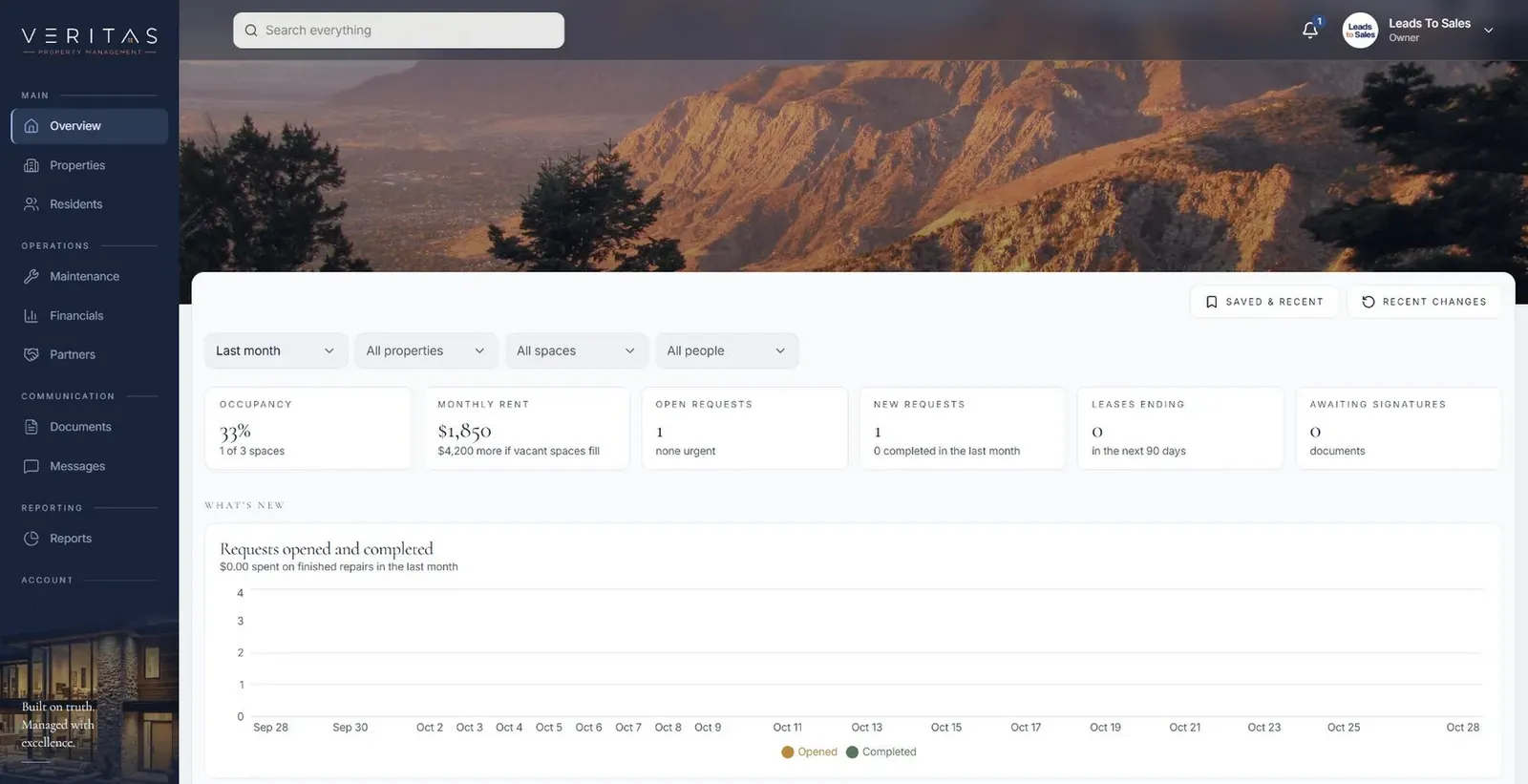
Tenant, owner and staff portals where each maintenance request keeps its photos and updates from first report to finished repair.

All highlighted work →
Veritas Property ManagementVeritas Property Management portfolio overview with properties, occupancy and requests In build · Residential property managementVeritas Property ManagementTenants, owners and staff connected around the same requests, records and updates.View the project →

Start with the problem. We'll build the possibility.

Tell us what slows your team down. We'll map it with you and suggest a useful first release, whether you're in Nashville or anywhere in Middle Tennessee.