Nashville, TN
sales software · nashville

Sales Training Software That Gets New Reps Selling Sooner

Growing Nashville sales teams often onboard reps with shared folders, ride-alongs and a long first month. Nashline Software builds sales training software with onboarding paths, short lessons, call reviews and certifications tied to the skills each rep needs.

3 min read · 3 sections · 3 answers

Faster ramp

Clear paths.

Consistent pitch

Same scripts for everyone.

Better coaching

Rubric-based reviews.

Visible progress

Managers see readiness.

Managers see who is ready to sell and where each rep needs coaching.

01

Onboarding paths by role

New reps follow a path for their role, with lessons, product knowledge, scripts and quizzes in the order they need them.

  • Lessons and videos
  • Product and pricing knowledge
  • Scripts and objection handling
  • Quizzes and certifications
02

Call and role-play reviews

Reps submit recorded calls or role-plays. Managers score them against your rubric and leave notes on the exact moment.

// how sales training & onboarding software flows
  1. 1 Rep hired
  2. 2 Lessons assigned
  3. 3 Practice completed
  4. 4 Manager signs off
  5. 5 First live call
TodayWith sales training & onboarding software

✕Shared folders and ride-alongs

✓Structured paths by role

✕Coaching by memory

✓Scored reviews with notes

✕Readiness guessed

✓Certifications tracked

The system handles

  • Assigning lessons
  • Tracking progress
  • Reminding reps and managers

Your people decide

  • Coaching
  • Sign-off on readiness
  • Updating the playbook
your first release

What a first sales training & onboarding software release includes

A focused starting point, shaped with your team in Discovery and adjusted to how your Nashville team works. Then we build on it.

  1. Discover
  2. Design
  3. Build
  4. Launch
  5. Optimize
Plan your first release →
release planSales Training & Onboarding Software · v1.0Ready to scope
  • Training paths01
  • Lesson and quiz builder02
  • Call review tools03
  • Manager progress view04
  • CRM connection05
  • Handover runbook and owner register06
Then: connect more tools, add automation and AI as your team is ready.
in practice

What sales training & onboarding software looks like day to day

Illustrative scenarios, not client stories.

A home services team in Mt. Juliet

Picture new door-to-door reps learning from whoever they ride with. Every rep now follows the same path and certifies before going out alone.

Build something like this →Every system is shaped around your own process.
faq

Sales Training & Onboarding Software: questions we hear

Still unsure? Ask us directly.

Can we use our existing videos and documents?

Yes. We organize what you have into paths and add quizzes and reviews.

Do we have to replace the software we use now?

Usually not. We connect the tools you keep where their APIs or exports allow, and build only what is missing.

Who owns the software?

You do. The code, the data and the documentation are yours after launch.

often built together

Sales Training & Onboarding Software works best connected

Most teams start with one system and connect the next when they are ready. These are the services most often built alongside sales training & onboarding software, on the same record.

All services →
built by our team

See the pattern in a real system

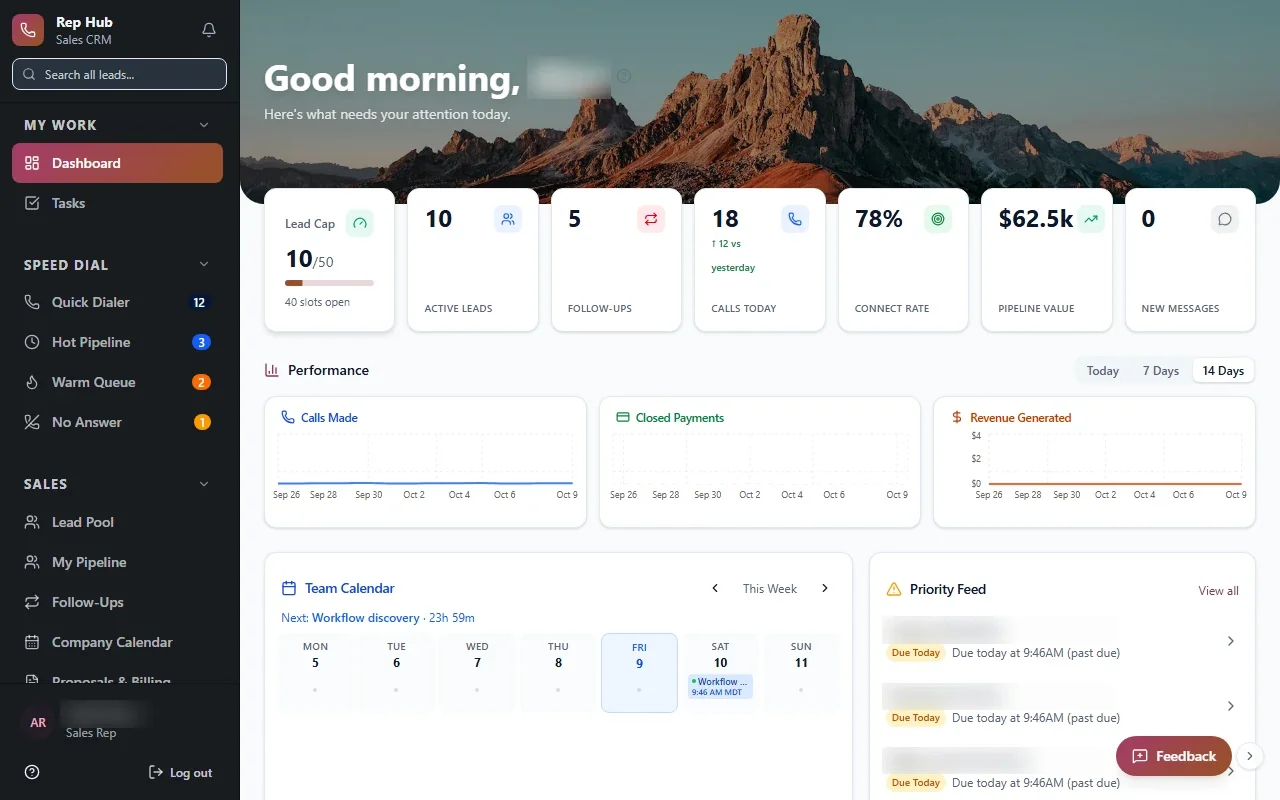
A sales platform covering recruiting, training, the rep workspace and contracts, where signed and paid triggers delivery and commissions.

All highlighted work →
Rep HubRep Hub sales dashboard with lead pipeline, team performance, calendar and tasks Built · Sales organizationRep HubFrom joining the sales team to delivering the sale, in one connected platform.View the project →

Start with the problem. We'll build the possibility.

Tell us what slows your team down. We'll map it with you and suggest a useful first release, whether you're in Nashville or anywhere in Middle Tennessee.